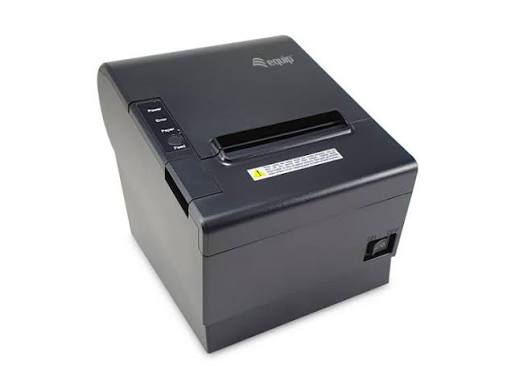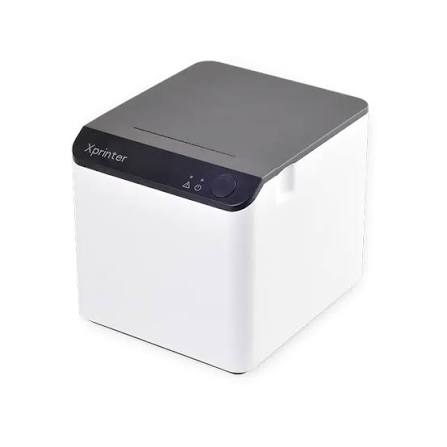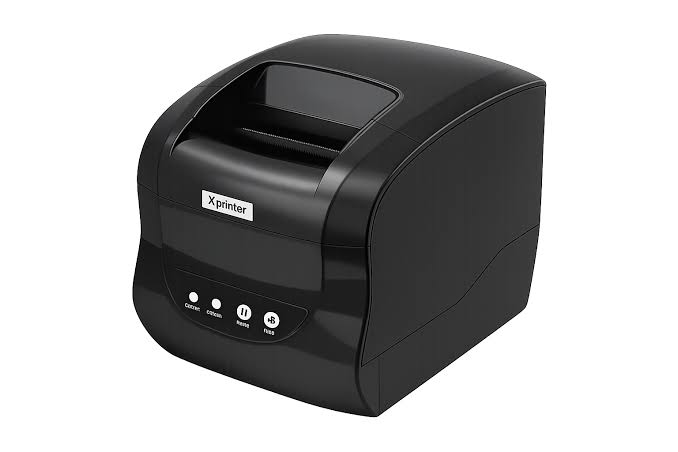
Point-of-sale (POS) systems are essential to modern retail and service businesses. From processing customer payments to generating transaction records, these systems help organizations manage daily sales activities efficiently. A reliable receipt printer is an important part of this setup because it provides customers with purchase details while helping businesses maintain organized transaction records.
Thermal printing technology has become a common choice for POS applications because of its speed, convenient operation, and reduced dependence on traditional printing consumables. An Xprinter Thermal Printer can support different point-of-sale environments by providing receipt printing capabilities suited to everyday commercial transactions. Understanding the features behind this popularity helps explain why thermal printers are widely used in retail stores, restaurants, supermarkets, and other service businesses.
1. Fast Receipt Printing for Busy Checkout Counters
Printing speed is one of the main reasons businesses choose thermal printers for POS systems. During busy shopping periods, checkout counters may process numerous transactions within a short time.
Thermal printers produce receipts by using a heated printhead to create text and graphics on compatible paper. This process allows them to generate transaction records quickly without the printing delays associated with certain conventional printing technologies.
Faster receipt production can help cashiers complete transactions more smoothly and reduce unnecessary waiting at checkout counters.
2. Reduced Dependence on Ink and Toner
Traditional printers often require ink cartridges or toner replacements. Managing these consumables can create additional expenses and interruptions, particularly in businesses that print frequently.
Direct thermal receipt printers use heat-sensitive paper instead of ink or toner. This simplifies consumable management because employees primarily need to monitor paper supplies.
The absence of ink cartridges also eliminates certain maintenance tasks associated with conventional printers. However, thermal transfer models use ribbons, so businesses should distinguish between the two printing technologies when evaluating operating costs.
3. Compact Designs for Limited Counter Space
POS environments often contain several devices, including computers, barcode scanners, cash drawers, payment terminals, and customer displays.
A compact receipt printer can fit into this arrangement without taking up excessive workspace. This is especially useful for convenience stores, cafés, small retail outlets, and service counters where available space is limited.
A well-organized checkout station can also make it easier for employees to access equipment and complete transactions efficiently.
4. Convenient Integration with POS Software
A receipt printer must communicate properly with the software responsible for processing sales transactions. Modern POS systems typically manage product information, pricing, discounts, taxes, and payment records.
Thermal printers can integrate with compatible POS applications through supported drivers, interfaces, and printing protocols.
Depending on the model, connectivity options may include:
- USB: Provides a direct connection to a computer or POS terminal.
- Ethernet: Supports network-based printing in multi-counter environments.
- Serial: Allows integration with certain established commercial systems.
- Bluetooth: Supports compatible mobile POS devices.
- Wi-Fi: Enables wireless communication through supported networks.
Businesses should verify software compatibility and available drivers before purchasing equipment. This helps avoid connection problems during installation.
5. Clear and Readable Transaction Receipts
A receipt provides customers with important information about their purchases. It may include product descriptions, prices, taxes, discounts, payment methods, and transaction dates.
Thermal printing technology can produce clear text and graphics when appropriate paper and print settings are used.
Readable receipts are important for several business activities, including:
- Confirming completed purchases.
- Processing product returns and exchanges.
- Reviewing transaction information.
- Maintaining sales documentation.
- Supporting customer service inquiries.
The appropriate print resolution and paper quality help maintain consistent output throughout daily operations.
6. Support for Different Business Environments
One reason POS thermal printers are widely used is their suitability for different commercial settings. Although printing requirements vary between industries, receipt generation remains a common operational need.
Retail Stores and Supermarkets
Retail businesses use receipt printers to generate purchase records at checkout counters. Fast printing helps cashiers serve customers efficiently, especially during busy shopping periods.
Restaurants and Cafés
Restaurants use thermal printers for customer receipts, billing documents, and kitchen order tickets. Separate printing stations can help communicate orders between service counters and kitchen staff.
Hotels and Hospitality Businesses
Hotels and hospitality facilities use POS printing equipment for restaurant bills, service transactions, and other customer documentation.
Convenience Stores
Convenience stores often process frequent, relatively small transactions. Compact receipt printers help support continuous checkout activities.
Pharmacies
Pharmacies use receipt printing systems to provide purchase documentation and transaction details. Depending on the software and equipment, printing systems may also support selected product or identification labels.
7. Automatic Cutting and Paper Handling Features
Many POS receipt printers include convenient paper-handling features that help simplify everyday operation.
An automatic cutter, when available, separates completed receipts without requiring employees to tear the paper manually. This can improve convenience in high-transaction environments.
Other useful features may include:
- Paper-out detection.
- Paper cover sensors.
- Easy-loading paper compartments.
- Status indicators.
- Adjustable printing settings.
These features vary between models, so businesses should review individual specifications before selecting a printer.
8. Reliable Performance During Frequent Transactions
POS printers are often used repeatedly throughout business hours. Retail stores and restaurants may need to generate hundreds or thousands of receipts depending on their size and customer traffic.
For this reason, businesses should consider the printer’s rated performance, printhead quality, construction, and recommended workload.
Consistent printing helps reduce interruptions at checkout counters and allows employees to focus on customer service.
However, reliability also depends on proper installation, compatible paper, suitable operating conditions, and regular maintenance.
9. Lower Routine Maintenance Requirements
Maintenance requirements can influence the long-term convenience of POS equipment. Direct thermal printers generally have fewer consumable-related maintenance tasks because they do not use ink cartridges or toner.
Nevertheless, regular cleaning and inspection remain necessary.
Businesses should pay attention to:
- Printhead cleanliness.
- Platen roller condition.
- Paper-feeding mechanisms.
- Internal dust accumulation.
- Paper alignment.
- Cable and network connections.
Cleaning the printer according to manufacturer recommendations helps maintain consistent receipt quality and reduces the risk of common operational problems.
10. Cost-Effective Printing for Daily Operations
Businesses consider both initial investment and ongoing expenses when choosing POS equipment.
Direct thermal printing can help reduce certain operating costs because it eliminates the need for ink and toner. It can also simplify consumable storage and replacement procedures.
However, the overall cost depends on several factors, including:
- Printer purchase price.
- Thermal paper consumption.
- Printhead replacement.
- Maintenance requirements.
- Electricity usage.
- Expected operating lifespan.
A business with high transaction volumes should compare these expenses over time rather than focusing only on the initial purchase price.
11. Support for Multiple Checkout Configurations
Not every business operates with the same POS arrangement. Some stores use a single checkout terminal, while larger retailers may operate multiple counters connected to a central sales management system.
Thermal receipt printers with appropriate connectivity can support different configurations.
For example, a small shop may connect a printer directly to one computer through USB. A larger retail environment may use network-connected printers to support several authorized workstations.
The correct configuration depends on the POS software, network infrastructure, and number of printing stations.
12. Improved Customer Service and Transaction Management
A smooth checkout experience contributes to customer satisfaction. Long waiting times, printing interruptions, and unclear receipts can create unnecessary difficulties for both customers and employees.
Reliable thermal printing helps businesses complete transaction documentation promptly. It also gives customers a physical record of their purchases, which can be useful for returns, expense tracking, and warranty-related inquiries.
When integrated properly with POS software, receipt printing can become a consistent part of the transaction process.
13. Important Factors When Selecting a POS Thermal Printer
Although thermal printers offer several advantages, choosing an appropriate model requires attention to specific business requirements.
Before purchasing, consider the following factors:
Printing speed: Select a model that can handle the expected transaction volume.
Paper width: Check whether the supported receipt width matches the business’s preferred format.
Print resolution: Consider the level of detail needed for text, logos, and transaction information.
Connectivity: Verify compatibility with existing POS terminals and network arrangements.
Software support: Check available drivers, operating system compatibility, and printing protocols.
Automatic cutter: Determine whether automatic receipt separation is necessary for daily operations.
Durability: Review the printer’s specifications and suitability for frequent use.
Technical support: Consider warranty coverage, replacement parts, and maintenance assistance.
Evaluating these factors helps businesses choose equipment that supports their actual checkout requirements.
14. Best Practices for Maintaining POS Thermal Printers
Regular maintenance helps keep POS printing equipment in good working condition.
Businesses can follow several basic practices:
- Use compatible thermal paper with the recommended specifications.
- Clean the printhead using approved cleaning materials.
- Remove paper dust and residue from internal components.
- Inspect the cutter mechanism where applicable.
- Check paper alignment when printing becomes inconsistent.
- Keep the printer away from excessive moisture and heat.
- Update drivers and software when required.
- Follow the manufacturer’s maintenance instructions.
Employees should also know how to identify common issues, such as paper shortages, connection failures, and faded printing.
Conclusion
Xprinter thermal printers are relevant to point-of-sale systems because thermal printing technology supports fast receipt production, convenient paper handling, compact equipment arrangements, and reduced dependence on traditional ink-based consumables. These characteristics make thermal printers suitable for various commercial environments, including retail stores, restaurants, supermarkets, and hospitality businesses.
However, selecting the right printer requires evaluating printing speed, paper compatibility, connectivity, software support, and expected transaction volume. With appropriate equipment selection and regular maintenance, businesses can establish a more efficient POS printing process and support consistent daily operations.