Business transaction management has evolved significantly as companies adopt digital payment systems, cloud-based software, and mobile point-of-sale solutions. Retail stores, restaurants, hotels, and service providers increasingly need flexible equipment that can support transactions across different locations. Wireless printing technology has become an important part of this shift by allowing businesses to produce receipts without depending entirely on traditional wired connections.
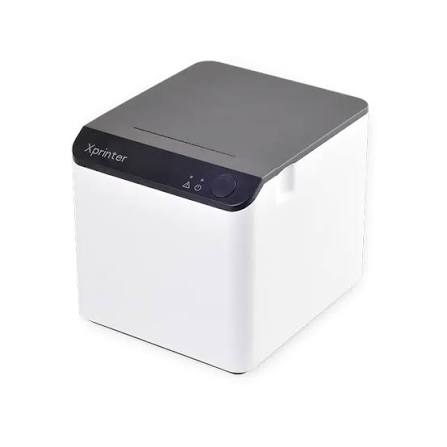
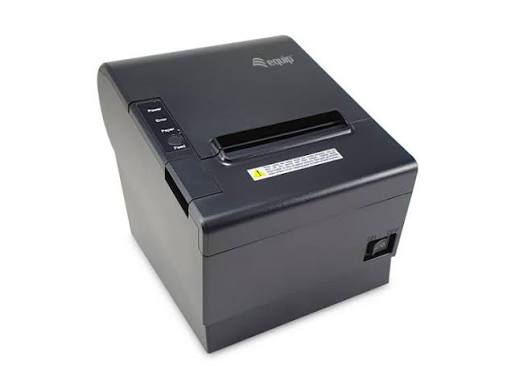
A modern Receipt Printer with wireless connectivity can communicate with compatible POS terminals, tablets, smartphones, and other business devices. This flexibility helps organizations simplify checkout arrangements, support mobile services, and adapt their transaction processes to changing operational requirements.
1. Understanding Wireless Receipt Printing Technology
Wireless receipt printers use communication technologies such as Bluetooth and Wi-Fi to receive print commands from connected devices. Instead of requiring a direct USB or serial connection, these printers can communicate through supported wireless connections.
The printing process generally begins when a POS application completes a transaction and sends the receipt information to the printer. The printer receives the data and produces a physical document using its supported printing technology, commonly direct thermal printing.
Wireless connectivity can make equipment placement more flexible, especially in environments where employees need to print receipts away from fixed checkout counters. However, the printer and connected device must support compatible communication standards and software.
2. How Bluetooth Receipt Printers Support Mobile Transactions
<AsyncImage query=”portable Bluetooth thermal receipt printer paired with smartphone mobile point of sale” aspectRatio=”16:9″ maxHeight={190}/>
Bluetooth is commonly used in compact receipt printers designed for short-range wireless communication. It allows compatible mobile devices, such as smartphones and tablets, to send print commands without requiring a network router.
This technology is useful for businesses that need portable transaction solutions. Employees can carry a mobile POS device and a compatible printer while serving customers in different areas.
Common applications include:
- Food trucks and mobile food services.
- Outdoor retail stalls and temporary stores.
- Delivery and collection services.
- Table-side payments in restaurants.
- Small businesses using tablet-based POS systems.
Bluetooth printing is generally suitable for individual or nearby device connections, although the supported range and pairing capabilities depend on the specific model.
3. The Role of Wi-Fi Receipt Printers in Business Networks
<AsyncImage query=”WiFi thermal receipt printer connected retail point of sale counter network” aspectRatio=”16:9″ maxHeight={190}/>
Wi-Fi receipt printers connect to compatible wireless networks, allowing supported computers, tablets, and POS systems to send print jobs over the same network.
This can be particularly useful in businesses with multiple workstations or separate service areas. For example, a restaurant may place printers at different preparation stations while allowing the POS system to send orders to the appropriate location.
Wi-Fi connectivity can also reduce the need to run individual data cables across counters and workspaces. However, network configuration, signal quality, security settings, and software compatibility must be considered during installation.
4. Improving Checkout Flexibility in Retail Stores
Traditional checkout arrangements often place printers close to fixed POS terminals. Wireless models provide more flexibility because compatible devices can communicate without a direct data cable.
Retail employees may use tablets or mobile terminals to process transactions in different parts of a store. Once payment is completed, a compatible wireless printer can produce the customer’s receipt.
This arrangement can support temporary checkout stations during busy periods, promotional events, and seasonal shopping activities. It may also help businesses reorganize their sales floors without extensive changes to data cabling.
The actual benefits depend on wireless coverage, printer placement, and the capabilities of the retail management software.
5. Supporting Faster Restaurant Service
Restaurants increasingly use tablets and mobile POS devices to manage orders and payments. Wireless receipt printers can support these systems by providing greater flexibility in how printing equipment is positioned.
For example, a server may enter an order through a tablet and send the information to a kitchen printer connected to the restaurant’s network. A separate printer may produce customer bills at the payment counter.
This setup can help coordinate communication between front-of-house employees and kitchen staff. It also allows restaurants to adjust printer locations as service arrangements change.
Wireless printing does not automatically improve every part of restaurant service, but it can reduce installation constraints and support more adaptable workflows.
6. Reducing Cable Clutter and Installation Complexity
Wired printers require suitable cable connections between the printer and the connected device or network infrastructure. In some environments, installing these cables can create workspace limitations or require additional installation work.
Wireless models can reduce the need for data cables, although they still require an appropriate power source unless they are battery-powered portable devices.
Benefits may include:
- More flexible printer placement.
- Fewer data cables around checkout counters.
- Easier rearrangement of workstations.
- Support for mobile POS equipment.
- Convenient installation in locations where cable routing is difficult.
Businesses should still evaluate power access, wireless coverage, and installation requirements before selecting a wireless model.
7. Wireless Printing and Cloud-Based POS Systems
Cloud-based POS platforms allow businesses to manage sales information and other operational data through internet-connected software. Wireless printers can work alongside compatible systems to support printing from network-connected devices.
For example, a retailer may use a cloud-based sales platform on tablets while connecting printers through a supported local network or printing service. This can help businesses maintain flexible checkout arrangements across different counters.
However, cloud-based POS software does not guarantee that every wireless printer will work automatically. Some systems require specific drivers, applications, print servers, or supported communication protocols.
Before implementation, businesses should confirm that the printer and POS platform are designed to work together.
8. The Importance of Wireless Connectivity and Compatibility
Not all wireless receipt printers use the same connection methods or support identical software environments. A printer may offer Bluetooth connectivity but lack Wi-Fi, or it may support network printing only through a particular configuration.
Compatibility should be checked before purchasing equipment.
Important considerations include:
- Connection technology: Determine whether Bluetooth, Wi-Fi, or both are required.
- Operating system: Check support for the computers, tablets, or smartphones used by the business.
- POS software: Confirm that the application supports the printer model and its communication method.
- Printing protocols: Review supported command languages and interface requirements.
- Network configuration: Check whether the printer supports the business’s wireless infrastructure.
- Driver availability: Confirm that compatible drivers or setup applications are available.
Evaluating these factors helps prevent connection problems and reduces installation difficulties.
9. Security Considerations for Wireless Receipt Printers
Wireless connectivity introduces security considerations that businesses should address during installation and everyday use. A poorly configured network may expose connected devices to unnecessary risks or allow unauthorized access.
Businesses should use secure wireless networks, change default administrative credentials where applicable, and install firmware updates provided by the manufacturer. Bluetooth pairing should also be managed carefully to prevent unauthorized devices from connecting.
For network-connected printers, limiting access to trusted devices and maintaining appropriate network security settings can help protect the printing environment.
Wireless printing should be treated as part of the organization’s wider IT infrastructure rather than as an isolated peripheral device.
10. Maintaining Reliable Wireless Printing Performance
A wireless printer needs a stable connection to receive print commands consistently. Weak signals, network congestion, outdated firmware, and incorrect configuration can interrupt printing.
Businesses can improve connection reliability through several practices:
- Position Wi-Fi printers within suitable network coverage.
- Avoid placing devices near sources of significant wireless interference.
- Keep printer firmware and connected software updated.
- Check Bluetooth pairing when a device stops communicating.
- Review network settings after router or POS system changes.
- Test printing from the actual devices employees use.
For critical checkout operations, businesses may also consider keeping a compatible backup printer available to reduce disruption if the primary device experiences a connection failure.
11. Wireless Receipt Printers in Hospitality and Service Industries
Hotels, cafés, salons, and other service businesses often need flexible payment arrangements. Wireless printers can support transactions at reception desks, service counters, restaurant tables, and temporary payment stations.
In hotels, mobile POS devices can help staff process certain service payments away from the front desk. In cafés, wireless systems may support table-side ordering and payment. Service providers can also use portable printers to issue receipts at customer locations.
These applications are especially useful when employees need to move between different service areas while maintaining access to transaction documentation.
12. Wireless vs. Wired Receipt Printers
Both wireless and wired printers have practical advantages. The right option depends on the business environment, connection requirements, and expected printing workload.
| Comparison factor | Wireless printers | Wired printers |
|---|---|---|
| Installation | Can reduce data-cable requirements | Requires suitable cable connections |
| Mobility | Suitable models support flexible placement | Usually better suited to fixed positions |
| Connectivity | Uses Bluetooth or Wi-Fi | Commonly uses USB, Ethernet, or serial |
| Network dependency | May depend on wireless coverage | Direct connections can reduce wireless issues |
| Workspace arrangement | Offers greater placement flexibility | Cable routing can limit positioning |
| Typical applications | Mobile POS and flexible workstations | Fixed checkout counters and established POS setups |
Wireless models are not automatically better for every business. Wired connections may be preferable where consistent communication and fixed equipment placement are the main priorities.
13. Choosing the Right Wireless Receipt Printer
Selecting a wireless printer requires more than checking whether it supports Bluetooth or Wi-Fi. Businesses should evaluate the complete printing solution in relation to their daily operations.
Printing Speed and Quality
The printer should produce clear receipts at a speed suitable for the expected transaction volume. Businesses with frequent sales may need higher-speed equipment.
Battery Life and Portability
For mobile operations, battery capacity, charging time, weight, and physical dimensions are important. Fixed wireless printers may rely on continuous external power instead.
Paper Compatibility
Check supported paper widths, roll diameters, and paper types. These details affect supply purchasing and everyday operation.
Durability
Equipment used in restaurants, delivery services, and busy retail environments should be suitable for its intended operating conditions.
Software Support
Verify compatibility with the existing POS application, mobile devices, and operating systems before making a purchase.
Maintenance and Technical Support
Consider cleaning requirements, available replacement parts, warranty conditions, and access to technical assistance.
14. The Future of Wireless Receipt Printing
Wireless receipt printing is likely to remain relevant as businesses adopt mobile checkout systems, cloud-based applications, and more flexible service models. Improvements in wireless communication, battery efficiency, and device integration may make portable printing solutions increasingly practical.
Businesses may also continue combining physical receipts with digital transaction records. This approach gives customers different ways to access purchase information while allowing organizations to maintain their preferred documentation processes.
Future developments will depend on improvements in hardware, software compatibility, network security, and the broader adoption of connected business systems.
Conclusion
Wireless receipt printers are changing how businesses organize transaction management by providing more flexible connections between POS systems and printing equipment. Bluetooth and Wi-Fi models can support mobile payments, adaptable checkout stations, restaurant order management, and hospitality services.
Their effectiveness depends on reliable connectivity, suitable security settings, compatible software, and appropriate device selection. By evaluating these requirements carefully, businesses can use wireless printing to create more flexible transaction workflows while maintaining dependable receipt production.